
Error : Error starting ApplicationContext. To display the condition evaluation report re-run your application with 'debug' enabled.
이 오류 메시지는 Spring 애플리케이션이 시작될 때 ApplicationContext 가 로드되지 않았다는 의미이다.
오류의 원인은 다양할 수 있지만, 주로 빈(Bean) 설정 문제 또는 애플리케이션 설정 파일의 문제 때문일 수 있다고 한다.
에러 해결 방법으로,
Intellij IDEA > Run > Edit Configurations > Modify options > Enable debug output 체크


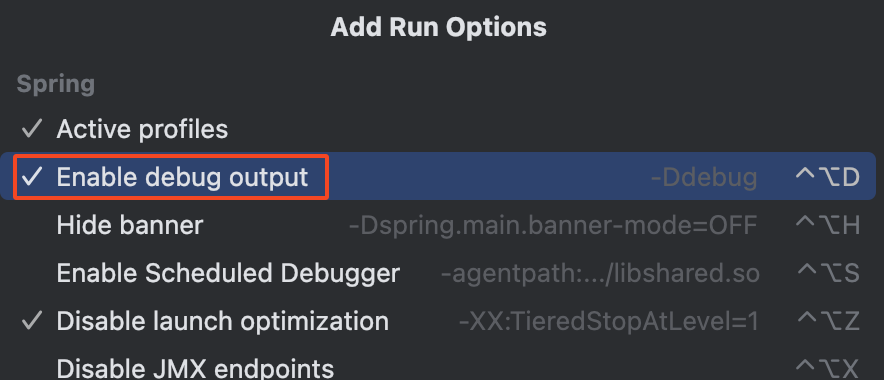
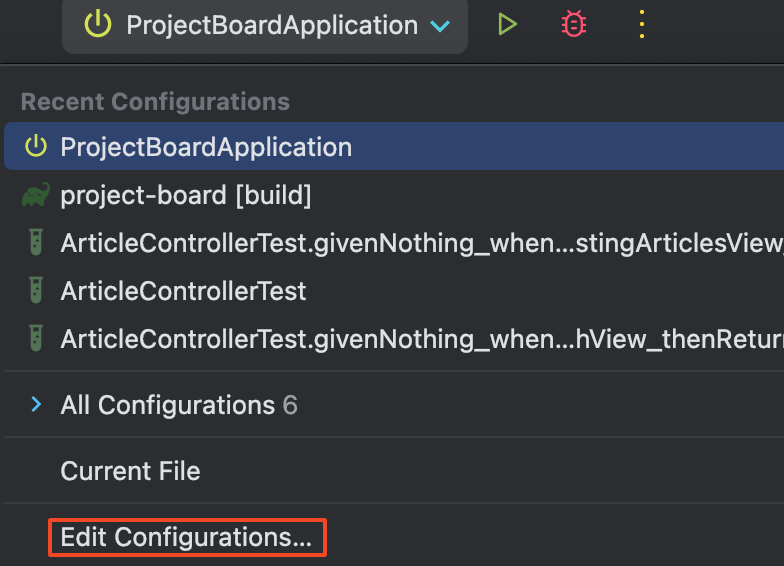
동일한 방법으로 오른쪽 상단의 실행 버튼으로도 Edit Configurations 설정이 가능하며,
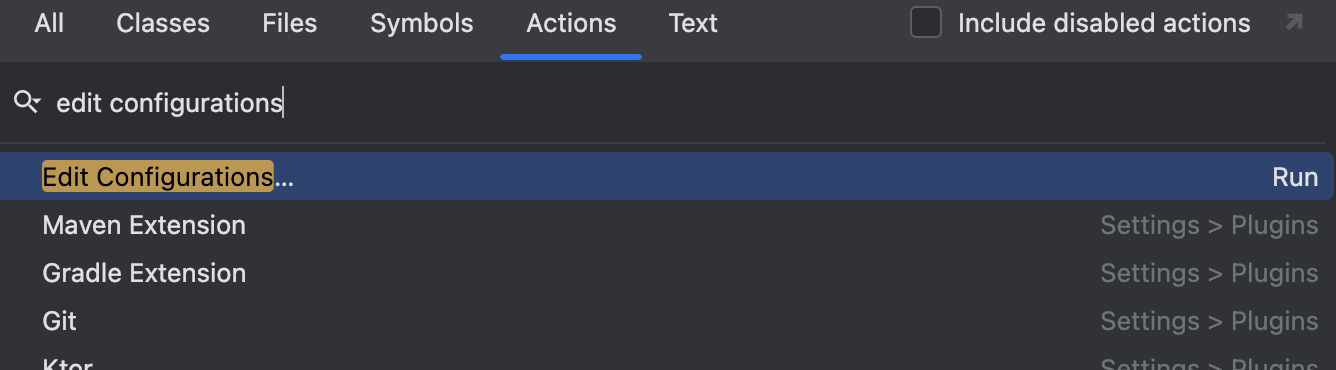
Mac 단축키 cmd + shift + a 를 눌러 Edit Configurations를 검색하여 빠르게 접근도 가능하다.
위 설정 과정을 통해 해당 에러가 해결 되어 잘 동작하는 것을 확인.
* Edit Configurations를 선택하면 다양한 실행 구성을 수정하거나 새로 추가할 수 있고,
최근에 사용한 설정들을 확인하고, 편집하거나 삭제할 수 있다.